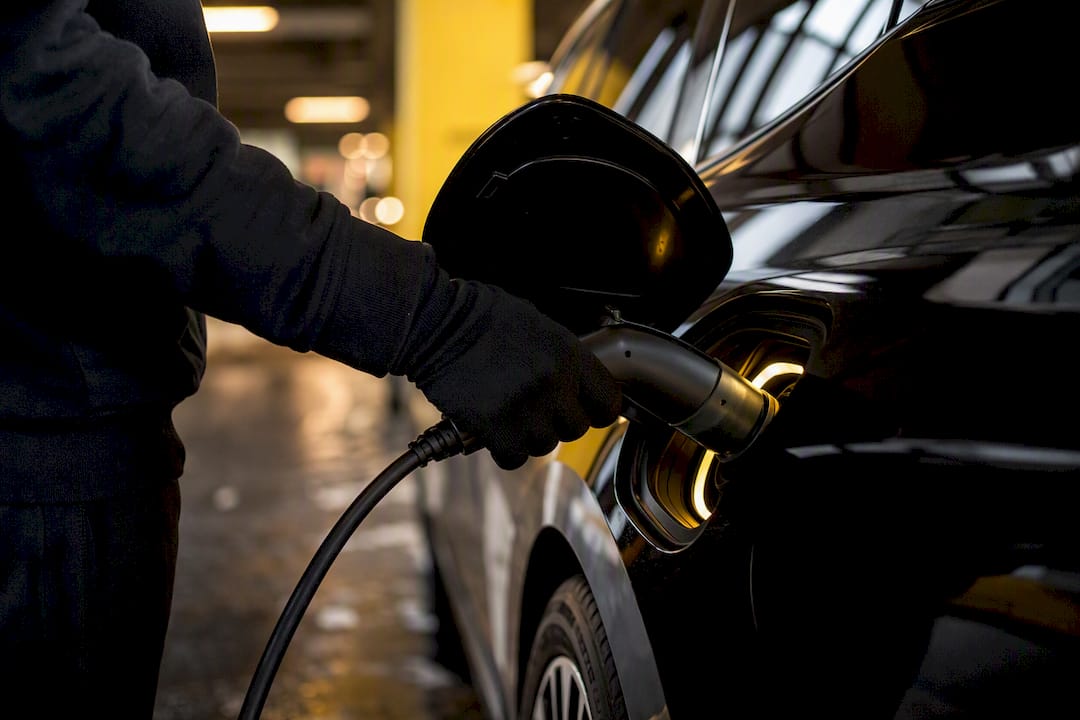
Plug and Charge is an ISO 15118-based feature that lets your car authenticate itself and pay automatically the moment you plug in. No app, no tap, no RFID card. If your vehicle and the charging station both support the standard, you connect the cable and charging starts on its own.
Most newer EVs from Audi, BMW, Ford, Hyundai, and other brands ship with the hardware for it, but the feature usually sits dormant until you enroll. Activation typically happens once, through your automaker’s app or the charging network’s website, and it links your car’s unique certificate to a payment method.
- What it does: authenticates your car and charges your payment method automatically at compatible stations
- What you need first: a vehicle with Plug and Charge hardware, enrollment through your OEM app or a supported network, and a linked payment method
- Is it safe: yes, sessions run on the same certificate and TLS encryption model used to secure online banking
Key Takeaways
Plug and Charge works because it replaces manual card payment with a certificate based handshake defined by ISO 15118, but it only activates once you enroll your vehicle and link a payment method.
| Point | Details |
|---|---|
| Enrollment is the real gate | Hardware readiness doesn’t mean the feature is active; you must link your VIN/PCID to an account and payment method. |
| Three pieces must align | Vehicle PLC chip, station firmware, and backend certificate management via OCPP all need to support ISO 15118. |
| Compatibility keeps expanding | Audi, BMW, Hyundai, Ford, Lucid, Porsche, and Volvo all offer Plug and Charge across various models and trims. |
| Roaming gaps still exist | Not every network recognizes every automaker’s certificate yet, though SAE’s EVPKI framework aims to fix that. |
| DC fast chargers lead adoption | Highway fast chargers are the priority rollout point, making them the most reliable place to test the feature. |
How Plug and Charge Works Under the Hood
The entire system runs on ISO 15118, the international standard governing how an electric vehicle and a charging station talk to each other. Inside your car, a component called the EVCC (Electric Vehicle Communication Controller) handles that conversation. On the station side, the SECC (Supply Equipment Communication Controller) answers back. Together they negotiate everything from charging current to, in some cases, smart charging schedules.
Authentication happens through a certificate exchange, the same public key infrastructure (PKI) model that secures HTTPS websites. Your car presents a digital certificate; the station verifies it through a TLS handshake before any electricity or billing information moves. Nobody types in a card number, and no data gets exposed in the clear.
Three things have to align for this to work:
- The vehicle needs a powerline communication (PLC) chip built into its charging hardware. Without it, the car simply cannot hold the ISO 15118 conversation, no matter how new the software is.
- The charger needs ISO 15118-capable firmware, not just a cable that fits.
- The backend needs certificate management, usually running through OCPP 2.0.1, the protocol that lets a charging network’s software issue, renew, and revoke certificates at scale.
A share of failed public charging attempts trace back to payment or authorization breakdowns rather than the plug itself, which is exactly the failure point Plug and Charge is designed to remove. Miss any one of the three pieces above, though, and the car falls back to manual payment, even if everything else checks out.
Which Cars and Chargers Actually Support It
Compatibility has expanded fast, but it’s still not universal, and it varies by trim and model year even within the same brand. Vehicles that commonly ship with Plug and Charge hardware include:
- Audi’s e-tron family
- BMW i4, i5, i7, and iX
- Ford Mustang Mach-E
- Lucid Air
- Porsche Taycan
- Hyundai Ioniq 5 and Ioniq 6
- Volvo EX30 and EX90
That list shifts with nearly every model-year refresh, so treat it as a starting point, not gospel. If you’re shopping and want to compare current trims side by side, FrenzyCars keeps detailed specs by make and model that flag which charging features come standard.
On the infrastructure side, support shows up in a few places. Charging network apps (the same ones you’d use to locate a station) often list Plug and Charge compatibility directly on the station listing. Physical stations sometimes carry signage indicating ISO 15118 support, though that’s inconsistent enough that the app is more reliable. Your automaker’s owner portal is the most dependable source for your specific car, since it can check your VIN and PCID (Provisioning Certificate ID) against what’s actually been provisioned.
If you’re unsure whether your own EV qualifies, your owner’s manual will state whether Plug and Charge hardware is installed, and a dealer or OEM support line can confirm provisioning status in a few minutes.
How to Turn On Plug and Charge and Use It
Getting Plug and Charge working is mostly a one-time setup, not a recurring hassle. Here’s the order that actually works:
- Confirm your car has the hardware. Check your owner’s manual or ask your dealer whether your trim includes the PLC chip and ISO 15118 support. Not every trim of a compatible model gets it.
- Find your VIN and PCID. Your automaker’s app or owner portal usually surfaces the PCID once you log in; you’ll need both numbers during enrollment.
- Enroll through your OEM app or the charging network. This step links your vehicle’s certificate to your account and a payment method. Some automakers activate this at the point of sale, but plenty leave it for the owner to complete.
- Add a payment method if one isn’t already on file with the network or your automaker’s charging program.
- Test it at a known-compatible DC fast charger. Plug in and watch for an automatic authentication message on the charger screen rather than a prompt to scan or tap. That’s your confirmation it worked.
- If nothing happens after a minute or so, fall back to the network’s app or an RFID card for that session, then contact support to check your enrollment status.
Pro Tip: Test Plug and Charge on a DC fast charger before a road trip, not during one. Highway fast chargers get priority for Plug and Charge rollout, so they’re both the most likely to work and the worst place to discover a setup problem.
What Plug and Charge Actually Improves, and Where It Doesn’t
The biggest win is reliability at the plug. J.D. Power’s public charging research ties higher ease-of-charging ratings to stations with automatic authentication, and a meaningful share of failed charging sessions nationally come down to payment or authorization breakdowns rather than a broken charger. Removing the manual payment step removes that failure mode.
Where it still falls short is roaming across networks. Not every charging operator recognizes every automaker’s certificate yet, which is exactly why SAE International and a group of industry partners announced a universal EVPKI framework meant to let one certificate work across competing networks. Until that rolls out fully, some drivers will still hit a station that simply doesn’t recognize their car.
- Fewer failed payment attempts at supported stations
- Certificate-based security, not card numbers stored on a station’s terminal
- Roaming gaps remain until cross-network EVPKI adoption catches up
- Billing typically routes through your existing charging account. Plug and Charge itself carries no separate fee
What To Do When a Session Won’t Start
Plug and Charge fails for a handful of predictable reasons, and most sort themselves out quickly:
- Not enrolled yet. The most common cause. Being technically capable doesn’t mean it’s active. You still need to complete provisioning.
- Certificate not yet issued. Enrollment can take a few minutes to propagate through the network’s backend before your first session.
- Hardware mismatch. An older station without a PLC-capable modem simply can’t hold the ISO 15118 handshake, even if your car is ready.
- Handshake timeout. Give it 30 to 60 seconds. If the charger shows no authentication message by then, switch to the network app or an RFID card.
- Escalate with details. If it fails repeatedly at multiple stations, contact network support with your VIN and the charge detail record (CDR) from the failed session. Repeated failure at one station usually points to that station’s hardware; repeated failure everywhere points to your enrollment.
Why Plug and Charge Matters More Than It Sounds
Plug and Charge solves the part of EV ownership that quietly wears people down: fumbling with five different charging apps on a road trip. It’s not flashy, but it’s the difference between charging feeling like refueling and charging feeling like a chore.
Here’s where we’d push back on how most coverage frames this: it’s not really about the technology being new. ISO 15118 has existed for years. The real story is enrollment friction, and most owners never get the notification that they even need to enroll.
- Check your OEM app today, not the week before a trip
- Enroll before you need it. Provisioning can lag behind sign-up
- Keep an RFID card or the network app installed as backup
For more on picking an EV that fits how you actually drive and charge, see FrenzyCars’ breakdown of hybrid versus electric ownership tradeoffs.
What Drivers Get Wrong About Plug and Charge
Most coverage of Plug and Charge treats it as a feature checkbox: does your car have it, yes or no. That framing misses the part that actually determines your experience, which is enrollment. A car with full ISO 15118 hardware and zero provisioning behaves exactly like a car with no Plug and Charge support at all. The hardware isn’t the bottleneck anymore. The paperwork is.
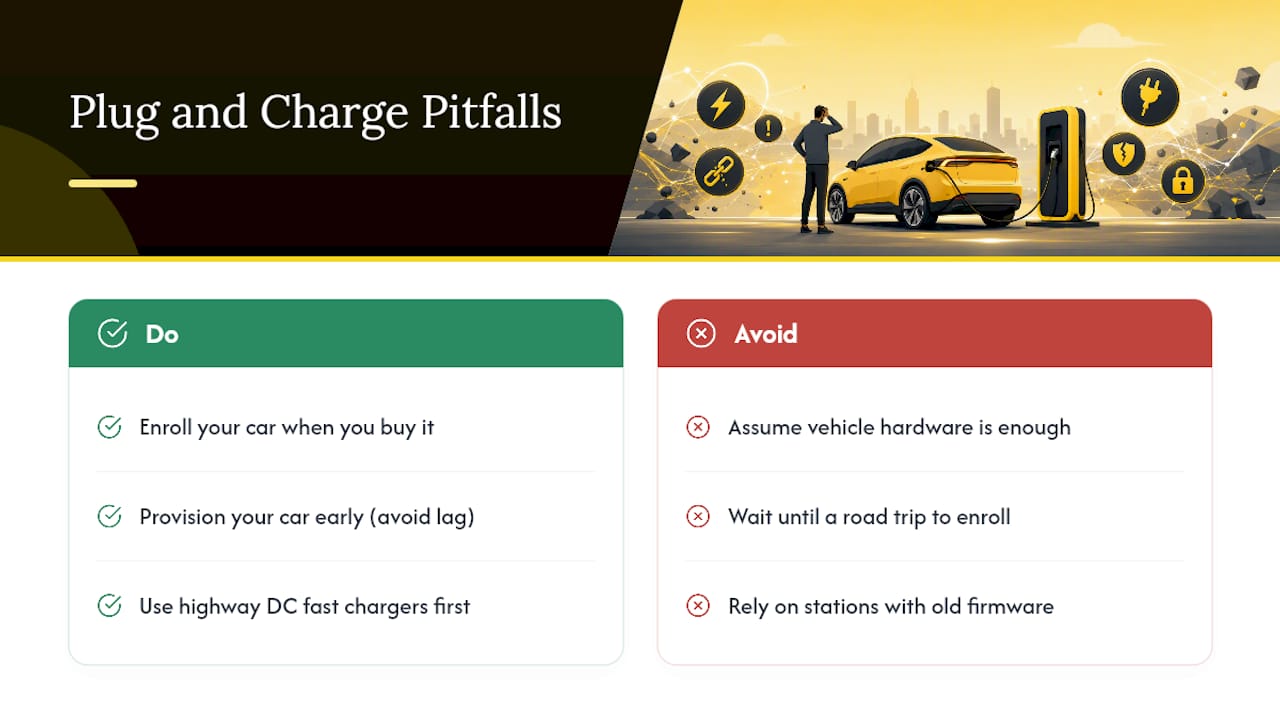
The conventional advice, “buy a car that supports Plug and Charge,” also undersells how much this depends on where you charge. A car provisioned perfectly will still fall back to a card reader at a station running outdated firmware. Highway DC fast chargers are ahead of the curve here, which is why the Harvard-MIT working group specifically recommended prioritizing them for early Plug and Charge rollout.
If you take one thing from this article, enroll your car the week you buy it, not the week before a road trip. Provisioning lag is real, and discovering it at a highway charger with 40 miles of range left is a bad way to learn.
Sources
- PLUG & CHARGE: RECOMMENDATIONS TO SPEED DEPLOYMENT — Harvard-MIT DCFC Stakeholder Working Group
- J.D. Power U.S. Electric Vehicle Experience (EVX) Public Charging Survey (press release)
- ISO 15118 — Road vehicles — Vehicle to grid communication interface
- What Is ISO 15118? Plug & Charge explained — JointCharging glossary